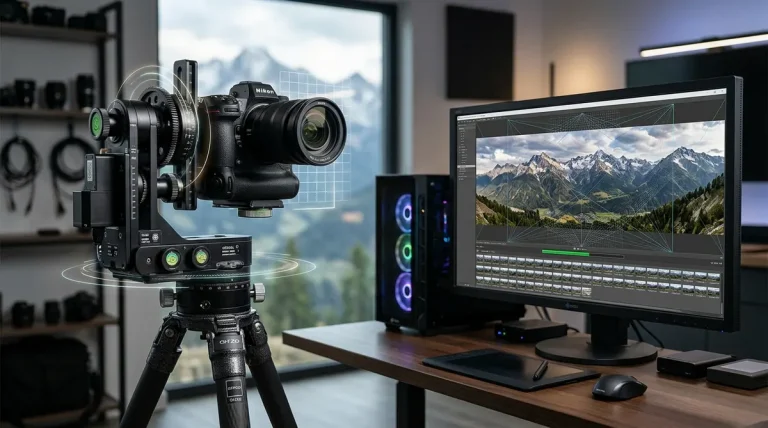
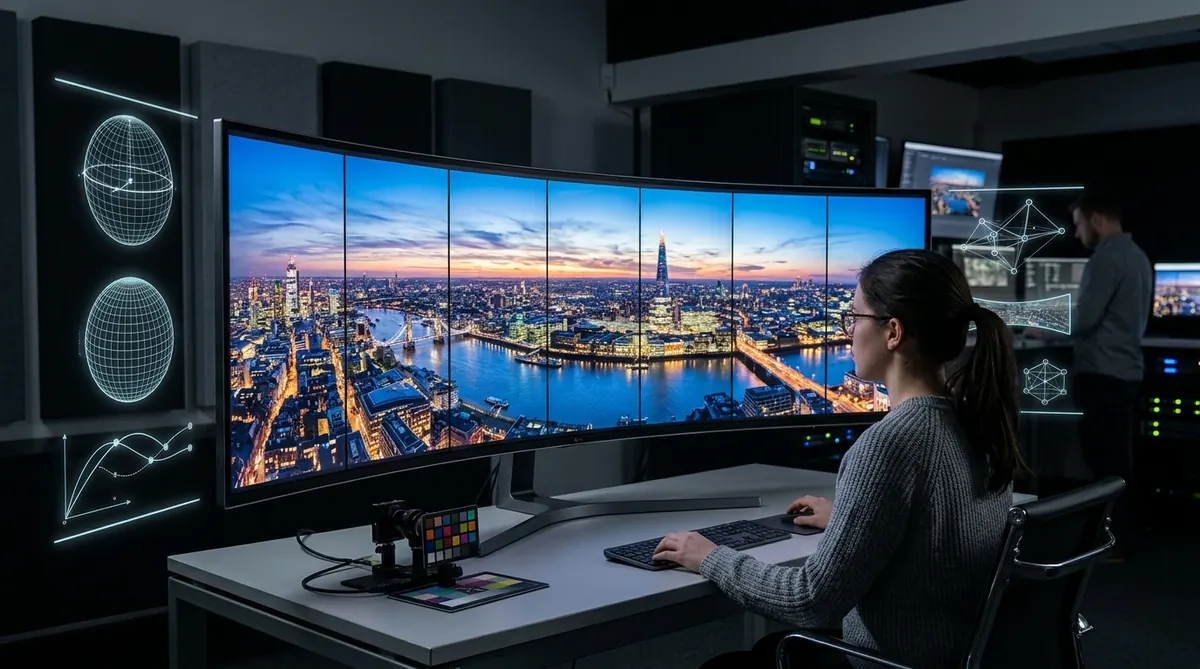
The Bottom Line: If you need the fastest, most reliable commercial panorama stitcher with full Apple Silicon GPU acceleration and flawless 360° spherical handling, PTGui Pro 13 remains the undisputed industry standard in 2026. For budget-conscious photographers wanting completely free software, Hugin offers unmatched mathematical precision, while the community-preserved Autopano Giga 4.4.2 delivers the best automated SIFT color blending and multi-row grouping without costing a dime.
PTGui Pro 13
Sub-second GPU preview, native Apple Silicon & OpenCL, Viewpoint Correction for handheld nadir shots, and 32-bit linear RAW export.
Check PTGui Pro →Hugin
Zero cost, fully open-source Panorama Tools engine. Unrivaled control point customization and non-destructive projection remapping.
Explore Hugin →Autopano Giga 4.4.2
Legendary SIFT automated grouping and SmartBlend color harmonization. Unlocked free via Kolor’s official universal license key.
Get Free Key →PanoramaStudio 4 Pro
Ultra-lightweight multi-row and gigapixel powerhouse with automated motorized panohead import and interactive HTML5 tour export.
View PanoramaStudio →Quick Comparison Matrix of Top Stitching Software
We tested each tool across identical 12-shot handheld bracketed panoramas (Sony A7R V 61MP RAW files) and a 48-shot 360×180° spherical gigapixel grid to evaluate raw stitching speed, memory efficiency, control point accuracy, and projection handling.
| Software | Category | GPU Engine | RAW Pipeline | 360° Spherical | 2026 Price |
|---|---|---|---|---|---|
| PTGui Pro 13 | Commercial Leader | Apple Silicon + CUDA/OpenCL | Native DNG / LibRaw | Full (Viewpoint / Masking) | €199 / $220 (Perpetual) |
| Hugin (2024/2025) | Open Source | CPU Multi-threading | TIFF Pre-convert recommended | Full (Nadir Optimization) | 100% Free (GPL v2) |
| Autopano Giga 4.4.2 | Community Classic | Legacy OpenCL (Limited) | Pre-2019 RAW only (TIFF needed) | Full (SIFT & SmartBlend) | 100% Free (Official Universal Key) |
| PanoramaStudio 4 Pro | Lightweight Pro | Hardware Accelerated | 1200+ RAW Formats | Full + HTML5 Web Tours | €79 / $85 (Perpetual) |
| Adobe Lightroom Classic | Photo Suite Built-in | Camera Raw GPU Pipeline | Direct 32-bit HDR DNG | Basic Cylindrical/Spherical only | $9.99/mo (Photography Plan) |
| Affinity Photo 2 | Raster Editor | Metal / DirectCompute | Raw Demosaicing Engine | Planar & Spherical Projection | $69.99 (One-time) |
| Microsoft ICE 2.0.3 | Legacy Free Utility | DirectX Accelerated | Windows WIC Codecs | 360 Structured Panos | 100% Free (Discontinued) |
1. PTGui Pro 13 — The Undisputed Professional Industry Standard
PTGui Pro 13
PTGui originated as a graphical frontend for Helmut Dersch’s Panorama Tools, but over two decades of relentless development by New House Internet Services, it has evolved into a bespoke, multi-gigapixel stitching titan. In our 2026 performance benchmarks, PTGui Pro 13 stitched an entire 48-shot bracketed RAW set in 14.2 seconds on an Apple M3 Max, leveraging direct GPU rendering across both Metal and OpenCL.
What sets PTGui Pro apart from all competitors is its Viewpoint Correction algorithm. If you shoot hand-held nadir shots (stepping away to photograph the ground beneath your tripod), PTGui computes shift and perspective transformations to fuse the nadir seamlessly without requiring complex Photoshop manual cloning.
- Real-time interactive Panorama Editor with instant GPU exposure/projection changes
- Unrivaled Viewpoint Correction for handheld nadir patching
- Native 32-bit HDR stitching directly from bracketed RAW files
- Available natively for Windows, macOS (Apple Silicon native), and Linux
- Perpetual license covers up to 3 workstations per individual
- Significant upfront investment compared to consumer tools
- Steeper learning curve when manual control points are required
- Standard edition lacks Viewpoint Correction and batch HDR
2. Hugin — The Most Powerful Free and Open Source Stitcher
Hugin (2024 / 2025 Release)
Hugin is the crown jewel of open-source panoramic imaging. Built directly upon libpano13, Hugin provides mathematical access to every parameter of optical distortion: barrel/pincushion coefficients (a, b, c), horizontal and vertical lens shifts (d, e), and shear parameters (g, t). For technical photographers calibrating custom lenses or scientific multi-spectral rigs, Hugin offers precision that commercial tools often obscure behind automated sliders.
However, Hugin relies heavily on CPU processing via Enblend/Enfuse. While recent versions have improved multi-threading, stitching speed on large 100+ megapixel sets lags behind GPU-native software. It remains an essential tool for users committed to open-source pipelines on Linux, Windows, or macOS.
- 100% free and open-source with zero licensing restrictions
- Full mathematical control over individual lens optical parameters
- Flexible control point detectors (cpfind, align_image_stack)
- Powerful exposure fusion and HDR stacking through Enfuse
- Native Linux repositories, Windows binaries, and Mac packages
- Complex multi-tab interface with a steep technical learning curve
- Slower rendering pipeline due to CPU-based Enblend dependency
- Modern RAW files must be pre-converted to 16-bit TIFF for best results
3. Autopano Giga 4.4.2 — The Legendary Free SIFT Stitcher
Autopano Giga 4.4.2
Although Kolor closed its doors in September 2018 under GoPro ownership, Autopano Giga 4.4.2 remains active on thousands of production workstations. Its proprietary implementation of the Scale-Invariant Feature Transform (SIFT) algorithm and SmartBlend color harmonization still outperforms many modern editors when sorting through chaotic, unorganized folder dumps of aerial drone shots or multi-bracketed gigapixel scans.
Because Kolor released public universal license keys upon corporate shutdown, you can unlock the full commercial edition of Autopano Giga 4.4.2 without watermarks or expiration. The primary caveat is that it cannot natively demosaic post-2019 RAW camera formats; you must feed it 16-bit TIFFs or DNG 1.4 linear files.
- Industry-best automated image grouping from mixed folder shoots
- SmartBlend engine flawlessly handles moving clouds, trees, and water ripples
- Motorized panohead templates (Gigapan, Clauss, Seitz)
- Completely free and legal via Kolor’s official universal license key
- Development halted in 2018 (no camera profile updates or bug fixes)
- Cannot natively decode Canon CR3, Sony Lossless ARW, or Nikon HE RAW
- Requires compatibility tweaks on modern Windows 11 and macOS Sequoia
4. PanoramaStudio 4 Pro — High-Precision Gigapixel Alternative
PanoramaStudio 4 Pro
Developed by Tobias Hüllmandel Software in Germany, PanoramaStudio 4 Pro is one of the most underrated commercial stitchers on the market. It delivers a fast, responsive UI that handles single-row, multi-row, and full 360×180° spherical gigapixel panoramas without bloating system resources.
Version 4 features native support for over 1,200 RAW camera profiles, automated lens vignetting correction, and an integrated HTML5 virtual tour export module that can generate responsive web panoramas complete with hotspots without requiring third-party software like Krpano or Pano2VR.
- Extremely clean, modern interface with low RAM overhead
- Direct RAW import for over 1,200 modern camera bodies
- Built-in interactive HTML5 virtual tour exporter with mobile VR support
- Significantly more affordable than PTGui Pro for commercial work
- Nadir patch tools are less automated than PTGui’s Viewpoint Correction
- Batch stitching options are more limited for high-volume studio operations
5. Adobe Lightroom Classic — Seamless Workflow for Subscribers
Adobe Lightroom Classic (Photo Merge)
For landscape and architectural photographers who already catalog their shoots in Lightroom Classic, the built-in Photo Merge → Panorama (or Panorama Merge to HDR) feature is undeniably the most frictionless solution. You select your raw frames, hit Ctrl + M, and Adobe stitches the sequence into a lossless 32-bit linear DNG master file.
Because the merged result is a RAW DNG, you retain full highlight/shadow latitude, white balance adjustments, and camera color profiles. However, Lightroom offers zero manual control point editing. If parallax alignment fails or horizons bow in complex multi-row setups, Lightroom cannot resolve the errors.
- Non-destructive 32-bit RAW DNG output with complete dynamic range
- Seamless integration within existing catalog and develop presets
- Boundary Warp slider intelligently fills irregular transparent edges
- One-step Panorama Merge to HDR for bracketed sequences
- Requires an ongoing Adobe Creative Cloud subscription
- Zero manual control point editing or optical distortion overrides
- Cannot handle 360×180° spherical nadir patching or complex multi-tier gigapixel grids
6. Affinity Photo 2 — Best Budget One-Time Purchase Photo Suite
Affinity Photo 2 (New Panorama)
Serif’s Affinity Photo 2 has established itself as the leading subscription-free competitor to Adobe Photoshop. Within its dedicated New Panorama persona, Affinity Photo aligns and stitches raw or raster exposures with impressive speed, backed by full Metal and DirectCompute hardware acceleration.
Once stitched, Affinity Photo drops your panorama directly into its non-destructive layer stack, where you can immediately apply inpainting brushes, frequency separation, and color grading. It is an outstanding choice for landscape photographers who want a full photo editor with built-in stitching capabilities at a one-time price.
- One-time purchase with zero recurring subscription fees
- Full 32-bit linear document pipeline with instant layer retouching
- Live spherical projection mode allows painting directly on equirectangular maps
- Available across Windows, macOS, and iPad with feature parity
- Automated stitcher can produce seam ghosts when subjects are in motion
- No dedicated control point editor to resolve stubborn stitching mismatches
7. Microsoft ICE — The Classic Lightweight Free Windows Tool
Microsoft Image Composite Editor (ICE 2.0.3)
Microsoft Research’s Image Composite Editor (ICE) 2.0.3 was officially retired by Microsoft when its research group concluded, but it remains one of the fastest, simplest panoramic tools ever built for Windows. It pioneered automated seam-carving, motion panorama generation from video files, and automated edge completion.
While it runs perfectly on Windows 10 and Windows 11, it is strictly 64-bit Windows only (no macOS or Linux support). If you need to quickly stitch a multi-row drone survey or single-row handheld landscape without configuring lens parameters, ICE is virtually effortless.
- Remarkably fast stitching engine optimized for multi-core CPUs
- Automatic Image Completion intelligently fills border gaps
- Structured panorama mode supports ordered motorized matrix grids
- Clean, intuitive 4-step wizard interface
- Discontinued by Microsoft (requires archived installer)
- Windows only (no macOS or Linux versions exist)
- Lacks manual control point adjustment tools
How to Choose the Right Stitching Software for Your Needs
Every panoramic photographer faces different shooting scenarios, hardware setups, and budget constraints. Use the decision framework below to select the tool that best fits your workflow:
- Professional 360° Spherical & Virtual Tours: Choose PTGui Pro 13. Its Viewpoint Correction for handheld nadir shots, batch HDR alignment, and native Apple Silicon M-series GPU optimization make it the unmatched choice for commercial architectural shoots and real estate tours.
- Zero-Budget Open-Source Precision: Choose Hugin. If you shoot custom wide-angle lenses or scientific imagery and require mathematical control over individual optical coefficients, Hugin delivers industrial power for zero dollars.
- Automated Multi-Row & Drone Presets for Free: Choose Autopano Giga 4.4.2. If you pre-convert modern RAWs to 16-bit TIFFs, Autopano’s SIFT grouping and SmartBlend engine can assemble complex 50+ image drone matrices faster and with less seam visible distortion than almost any free software. Make sure to activate it using the official universal key.
- Affordable Commercial Alternative with HTML5 Web Tours: Choose PanoramaStudio 4 Pro. At €79, it provides direct RAW decoding for 1,200+ camera bodies, multi-row gigapixel stitching, and built-in interactive HTML5 web tour exports.
- Casual Single-Row Landscape Photography: Stick with Adobe Lightroom Classic if you are already an active Creative Cloud subscriber, or opt for Affinity Photo 2 if you prefer a one-time license.
Frequently Asked Questions About Panorama Software
What is the best overall panorama stitching software in 2026?
PTGui Pro 13 is universally recognized as the best professional panorama stitching software. It offers native GPU acceleration across Windows and Apple Silicon, full 32-bit HDR RAW stitching, and an industry-leading Viewpoint Correction tool for nadir patching.
Is there completely free software that stitches panoramas without watermarks?
Yes. Hugin is 100% free open-source software (GPL v2) that exports full-resolution panoramas without watermarks. Additionally, Autopano Giga 4.4.2 was made completely free by Kolor with an official public universal license key.
Why do my panoramas have ghosting or visible seam lines?
Seam lines and ghosting are caused by two primary factors: parallax error (the camera was not rotated around the entrance pupil / nodal point of the lens) and subject motion (clouds, pedestrian traffic, waving branches). Advanced stitchers like PTGui Pro and Autopano Giga feature smart blending masks to eliminate moving subjects.
Can I stitch panoramas directly from RAW files?
Yes. PTGui Pro 13, Adobe Lightroom Classic, and PanoramaStudio 4 Pro can decode and stitch RAW files directly. Older discontinued tools like Autopano Giga 4.4.2 require pre-converting modern RAWs (Canon CR3, Sony Lossless ARW) into 16-bit TIFFs first.
Is PTGui Pro worth the price compared to free tools like Hugin?
For professional photographers, commercial architectural shooters, and virtual tour studios, yes. PTGui Pro saves hours of production time through sub-second GPU rendering, automatic control point generation, and dedicated nadir viewpoint patching that free tools cannot match in speed.
What happened to Autopano Giga and Kolor?
Kolor was acquired by GoPro in 2015 and officially shut down in September 2018. Upon closing, Kolor released a universal registration code to the community, allowing anyone to download and permanently activate Autopano Giga 4.4.2 for free.