When French software developer Kolor led the panoramic imaging industry, they maintained two separate editions of their desktop stitching engine: Autopano Pro and Autopano Giga. Many photographers researching panoramic tutorials today encounter references to both editions and wonder which version they should track down, or whether their older project files are compatible.
The Fast Answer: Historically, Autopano Giga was the complete, professional flagship edition (€299 / $399), while Autopano Pro was an entry-level tier (€99 / $119) stripped of 360° spherical stitching, manual masking brushes, robotic head support, and gigapixel matrix tools. In 2026, you should always download Autopano Giga 4.4.2. When GoPro discontinued Kolor in September 2018, they released official universal public license keys covering both editions. Because Giga is 100% free and contains every single capability of Pro plus the full suite of professional tools, downloading Pro serves no practical purpose.
- 1. Core Philosophical and Historical Differences Between Pro and Giga
- 2. Comprehensive Feature Comparison Matrix — Pro vs Giga
- 3. Seven Flagship Capabilities Exclusive to Autopano Giga
- 4. Why Downloading Autopano Pro Is Completely Obsolete in 2026
- 5. The Modern Successor — How PTGui Mirrors the Pro vs Giga Split
- 6. How to Download and Unlock Autopano Giga Free in Under Two Minutes
- 7. Frequently Asked Questions
Core Philosophical and Historical Differences Between Pro and Giga
Kolor’s product strategy between 2008 and 2018 mirrored the needs of two distinct photographic customer profiles:
- Autopano Pro Target Audience: Built for casual landscape and outdoor photographers who simply wanted to stitch 3 to 10 photos captured with a standard wide-angle lens into a single linear panoramic strip (planar or cylindrical projection) without wrestling with complex spherical mathematics.
- Autopano Giga Target Audience: Engineered for commercial virtual tour creators, real estate professionals, architectural specialists, and scientific gigapixel researchers who needed to stitch hundreds or thousands of photos captured across multi-row matrix grids, fish-eye lenses, and motorized robotic tripod heads into complete 360° × 180° equirectangular master spheres.
When GoPro acquired Kolor in 2015, they unified development around the final 4.4 release cycle: Autopano Pro 4.4.1 and Autopano Giga 4.4.2. Both shared the same core SIFT feature-matching engine, but Kolor locked seven crucial production modules behind the Giga license tier.
Comprehensive Feature Comparison Matrix — Pro vs Giga
The matrix below provides an exhaustive technical comparison of what Kolor originally included in Autopano Pro versus the unrestricted Autopano Giga flagship.
| Software Feature / Capability | Kolor Autopano Pro 4.4.1 | Kolor Autopano Giga 4.4.2 |
|---|---|---|
| Standard Linear Panoramas | Yes (Planar, Cylindrical) | Yes (All projection models) |
| Full 360° × 180° Spherical Stitching | No (Restricted field of view) | Yes (Complete equirectangular spheres) |
| Multi-Row Gigapixel Matrix Stitching | No (Single-row focus) | Yes (Thousands of photos in structured grids) |
| Interactive Masking Tool (Red/Green Brushes) | No (Only automatic blending) | Yes (Manually force keep/discard image regions) |
| Motorized Panoramic Head Support | No | Yes (GigaPan, Clauss, Nodal Ninja, Seitz) |
| Neutralhazer Dehazing Algorithm | No | Yes (Advanced atmospheric haze removal) |
| Viewpoint Correction (Nadir Parallax Fix) | No | Yes (Computes viewpoint shift for handheld nadir) |
| Virtual Tour / Flash / HTML5 Export | No | Yes (Direct integration with Panotour Pro) |
| HDR Exposure Fusion & Anti-Ghosting | Yes | Yes |
| Color Equalization & Vignette Correction | Yes | Yes |
| Original Commercial Price (2018) | €99 / $119 | €299 / $399 |
| Current Price (2026) | Free (Discontinued) | Free (Official Public License Key) |
Seven Flagship Capabilities Exclusive to Autopano Giga
If you are deciding which installer to deploy, here is an in-depth breakdown of the seven major tools you forfeit if you accidentally run Autopano Pro instead of Autopano Giga:
1. Full 360° × 180° Spherical Equirectangular Projections
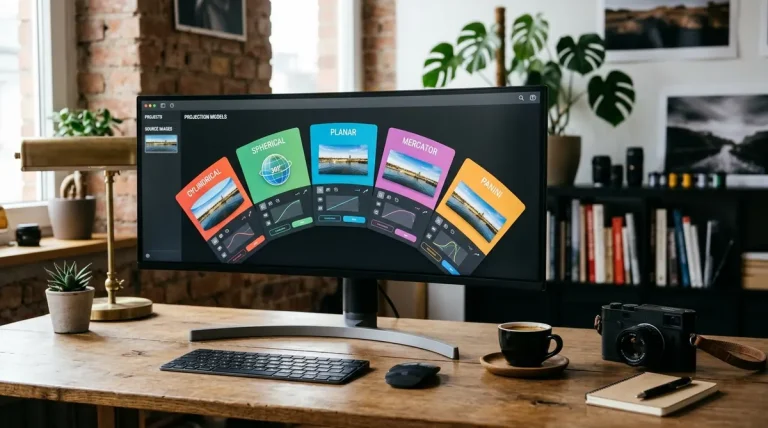
Autopano Pro was strictly designed for wide landscapes that do not wrap around to touch their own edges. If you shoot with a fisheye lens or capture the full sphere (including the zenith straight up and the nadir straight down), Autopano Pro cannot compute the continuous closed sphere. Autopano Giga unlocks full spherical, Mercator, and stereographic (Little Planet) projection models.
2. Interactive Manual Masking (The Keep / Discard Brush)
In high-traffic urban scenes, pedestrians, cars, or swaying branches create ghosted artifacts along overlapping seams. While Pro relies solely on automated algorithm heuristics, Autopano Giga features an interactive masking editor: paint with a green brush to force an element to remain in the final render, or paint with a red brush to erase an unwanted subject entirely.
3. Motorized Robotic Head Hardware Profiles
When capturing gigapixel panoramas composed of hundreds of telephoto frames, photographers use robotic mounts like the GigaPan EPIC Pro or Nodal Ninja Mecha. Autopano Giga includes specialized hardware import profiles that read camera position metadata and grid coordinates, organizing multi-row matrices in seconds.
4. Viewpoint Correction for Handheld Nadir Shots
To capture the ground directly underneath your tripod, you must move the tripod aside and shoot a handheld nadir photo looking straight down. Because the camera lens physically shifts position in space, optical parallax creates severe misalignment. Autopano Giga features computational Viewpoint Correction, warping the handheld perspective to fit the master nodal sequence seamlessly.
5. Neutralhazer — Scientific Atmospheric Dehazing
Developed in collaboration with French academic laboratories, the proprietary Neutralhazer plugin analyzed pixel-by-pixel luminance attenuation through the atmosphere. It restored true contrast, punch, and micro-texture to distant mountain ranges and skylines without shifting color balance or oversaturating the sky.
6. Multi-Gigapixel Memory Management
Autopano Giga’s rendering pipeline was re-architected to bypass 32-bit image memory walls. It can process massive gigapan files containing up to 100,000 individual photos, outputting layered PSB files or multi-resolution image pyramids for OpenSeadragon and Zoomify.
7. Direct Integration with Virtual Tour Engines
Autopano Giga was designed as the direct input pipeline for Kolor Panotour Pro and modern virtual tour platforms. It exports standardized equirectangular cubes and tiles formatted specifically for WebXR, MLS real estate links, and Google Street View.
Why Downloading Autopano Pro Is Completely Obsolete in 2026
In the commercial software era, photographers had a legitimate financial reason to purchase Autopano Pro: it saved €200 if they only needed simple horizontal landscape stitches. However, in 2026, the entire commercial framework has ceased to exist:
- Zero Cost Difference: Both Autopano Pro and Autopano Giga are permanently free to download and use under the official public license keys.
- Identical System Footprint: The macOS and Windows installers for Autopano Giga are virtually the same download size as Pro (~80 MB), and Giga imposes zero additional CPU overhead when stitching simple single-row panoramas.
- Backwards Compatibility: Autopano Giga can open any legacy
.panoproject file created in Autopano Pro 1.x, 2.x, 3.x, or 4.x. Conversely, Autopano Pro cannot open Giga projects that utilize masking or spherical projections.
The Final Verdict: There is absolutely zero technical, financial, or practical reason to download Autopano Pro today. Always download and install Autopano Giga 4.4.2.
The Modern Successor — How PTGui Mirrors the Pro vs Giga Split
If you are looking for an actively developed, modern replacement on Windows 11 or Apple Silicon, you will find that industry benchmark PTGui follows the exact same two-tier pricing model that Kolor established a decade ago:
| Software Edition | Kolor Equivalent (Legacy) | Target Workflow | Key Features & Limitations | Pricing |
|---|---|---|---|---|
| PTGui Standard | Autopano Pro 4.4 | Single-row landscapes & architecture | Fast GPU stitching, but lacks masking, HDR fusion, and viewpoint correction | €149 (One-time) |
| PTGui Pro | Autopano Giga 4.4.2 | Pro virtual tours, gigapixels & drone spheres | Full masking brushes, native HDR fusion, computational viewpoint correction, batch stitching | €319 (One-time) |
Just as serious photographers always chose Autopano Giga over Pro, professionals investing in commercial software today overwhelmingly choose PTGui Pro for its indispensable viewpoint correction and masking toolsets.
How to Download and Unlock Autopano Giga Free in Under Two Minutes
To install the full, unrestricted flagship edition on your computer right now, follow these three steps:
1 Download the Official Installer Archive
Download the official Autopano Giga 4.4.2 installer for Windows 10/11 or macOS from our secure download repository.
2 Run the Installation Wizard
On Windows, install as standard administrator. On modern macOS (Sonoma/Sequoia), remember to click Customize and deselect the legacy Adobe plugins as detailed in our Mac installation guide.
3 Enter the Public Registration Key
Launch Autopano Giga. In the top navigation menu, open Help → Register. Paste the universal user name and registration key provided in our license key directory. The application unlocks immediately with full access to all Giga modules and zero watermarks.
Frequently Asked Questions
Is there any reason to download Autopano Pro instead of Autopano Giga in 2026?
None whatsoever. Originally, Autopano Pro was a budget version sold for €99, while Autopano Giga was the €299 flagship. Because GoPro officially published free universal registration keys for both versions when closing Kolor, Autopano Giga is 100% free. Since Giga contains every single feature of Pro plus spherical 360° stitching, masking brushes, and gigapixel support, you should always choose Autopano Giga 4.4.2.
Can Autopano Pro open project files created in Autopano Giga?
Only partially. Autopano Pro can open basic single-row planar or cylindrical .pano project files. However, if the project utilizes Giga-exclusive features—such as full 360° × 180° spherical projections, manual keep/discard masks, multi-row gigapixel grids, or viewpoint corrections—Autopano Pro will either fail to open the file or strip out those settings.
What was the Neutralhazer tool in Autopano Giga?
Neutralhazer was an advanced atmospheric dehazing algorithm developed by French scientists and built exclusively into Autopano Giga. It analyzed color and contrast depth across landscape photos to remove atmospheric smog, mist, and aerial perspective haze without oversaturating blue skies.
Did Autopano Pro support 360-degree virtual tour export?
No. Autopano Pro was restricted to linear flat and cylindrical panoramas. Full 360° × 180° equirectangular projection, nadir patching, and direct export to virtual tour builders like Panotour Pro were reserved exclusively for the Autopano Giga edition.
What is the modern equivalent of the Autopano Pro versus Giga distinction?
Today, PTGui follows the exact same dual-tier model with PTGui Standard (€149) and PTGui Pro (€319). PTGui Standard is equivalent to Autopano Pro (basic landscape stitching), while PTGui Pro mirrors Autopano Giga by adding HDR exposure fusion, viewpoint correction for handheld nadirs, masking tools, and batch stitch processing.