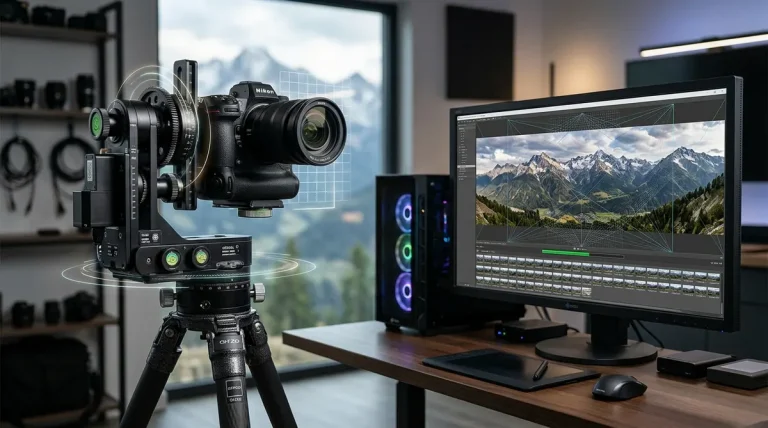
Due to the shared word “Giga” in their names, photographers frequently confuse GigaPan and Autopano Giga. Search forums are filled with questions asking whether GigaPan is a newer version of Autopano, or whether you need a GigaPan account to run Autopano stitching software. In reality, they are two completely different products from separate companies that operate on opposite sides of the gigapixel imaging workflow.
The Fast Answer: GigaPan is physical motorized camera hardware (a robotic panoramic tripod head developed in collaboration with Carnegie Mellon and NASA) that mechanically points and triggers your camera to capture hundreds of photos in a grid. In contrast, Autopano Giga is desktop stitching software (originally developed in France by Kolor) that takes those hundreds of captured photos and merges them into a single high-resolution gigapixel image. They are not competitors — they are complementary tools in the gigapixel creation chain.
- 1. Fundamental Distinction — Motorized Robotic Hardware vs Image Processing Software
- 2. Technical Specifications Comparison — GigaPan Systems vs Autopano Giga
- 3. The Complete Gigapixel Workflow — How GigaPan and Autopano Work Together
- 4. Why GigaPan Owners Abandoned GigaPan Stitch Software for Autopano Giga
- 5. Modern Robotic Panoramic Heads and Gigapixel Hardware in 2026
- 6. Pre-Shoot Checklist for High-Resolution Multi-Row Gigapixel Panoramas
- 7. Frequently Asked Questions
Fundamental Distinction — Motorized Robotic Hardware vs Image Processing Software
To produce a gigapixel photograph — an image composed of one billion pixels or more — you cannot simply attach a wide-angle lens and take a single exposure. Doing so spreads your sensor’s resolution across a broad field of view, sacrificing fine micro-detail.
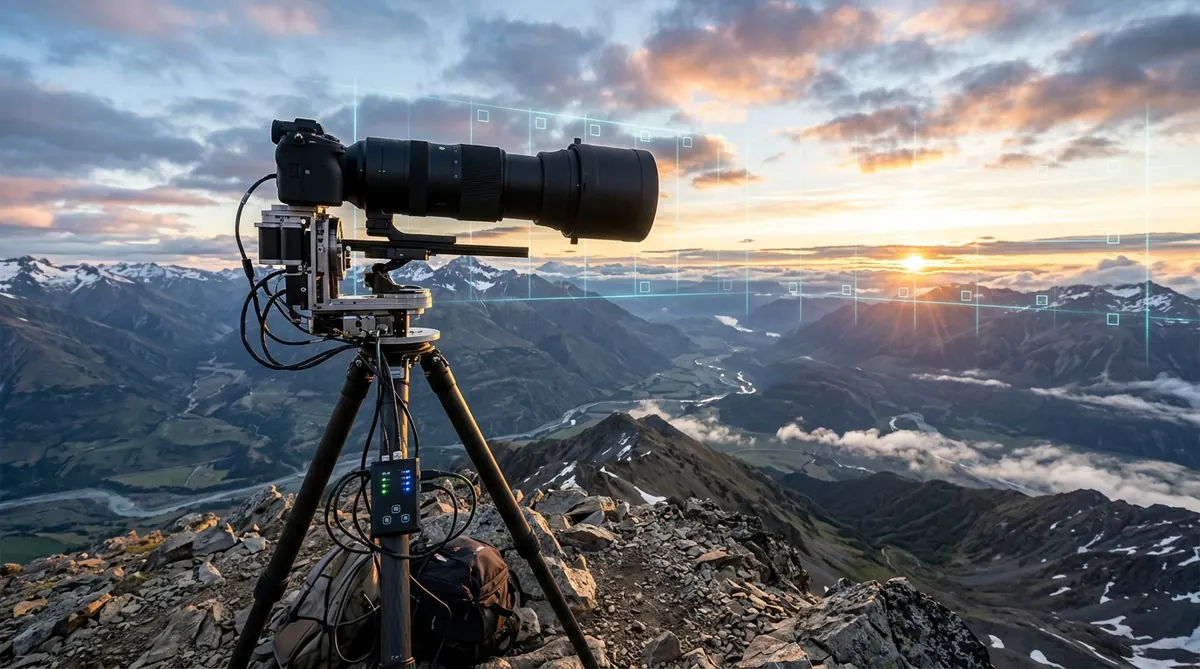
Instead, gigapixel photography requires mounting a long telephoto lens (such as a 200mm, 400mm, or 600mm lens) and systematically scanning the scene like a mosaic, capturing dozens or hundreds of overlapping close-up exposures in a precise multi-row matrix (for example, 20 columns wide by 10 rows high, yielding 200 raw frames).
- Where GigaPan Fits: Doing this manually by adjusting a standard tripod head by hand for 200+ shots is exhausting, imprecise, and prone to missed overlaps or changing light. GigaPan robotic heads automate the physical capture: you define the top-left and bottom-right corners of your scene, and the motorized head automatically calculates the grid, steps the camera across rows, pauses for vibration to settle, and fires the electronic shutter release cable.
- Where Autopano Giga Fits: Once your memory card contains 200 high-resolution RAW or TIFF files, you need software capable of aligning them. Autopano Giga is a multi-threaded desktop application engineered specifically to detect SIFT feature points across multi-row matrix grids, compensate for lens distortion, harmonize exposure vignetting, and output a massive gigapixel canvas ready for zoomable web viewing.
Technical Specifications Comparison — GigaPan Systems vs Autopano Giga
The matrix below breaks down the origins, hardware specifications, and functional boundaries of both systems.
| Product Dimension | GigaPan Systems (EPIC Series) | Kolor Autopano Giga 4.4.2 |
|---|---|---|
| Category | Motorized Robotic Tripod Head (Hardware) | Panoramic Stitching Suite (Desktop Software) |
| Origin / Developer | Carnegie Mellon University (CREATE Lab) & NASA Ames | Kolor (Chambéry, France; acquired by GoPro) |
| Input Required | DSLR/Mirrorless camera, telephoto lens, battery power | Memory card images (JPEG, TIFF, RAW sequences) |
| Output Produced | A matrix folder of hundreds of overlapping photos | A single unified Gigapixel TIFF / PSB / Deep Zoom file |
| Current Market Status | Legacy hardware (Widely traded on second-hand market) | Discontinued by GoPro; free via universal public keys |
| Payload Capacity | Up to 4.5 kg (10 lbs) on GigaPan EPIC Pro | Unlimited (Bound only by 64-bit RAM and scratch disk) |
| Operating System | On-board firmware LCD menu (OS independent) | Windows 10/11, macOS, and Linux |
The Complete Gigapixel Workflow — How GigaPan and Autopano Work Together
When producing multi-gigapixel landscape or urban panoramas, the two systems integrate into a cohesive, five-stage production pipeline:
1 Rig Alignment on Sturdy Tripod
Mount the GigaPan EPIC Pro onto a heavy-duty carbon fiber or aluminum tripod. Level the base thoroughly using the built-in spirit level. Mount your DSLR or mirrorless camera equipped with a sharp prime telephoto lens (e.g., 135mm f/2 or 300mm f/4), and align the lens entrance pupil to eliminate optical parallax errors.
2 Setting Field of View Boundaries on the Robotic Head
Using the GigaPan LCD keypad, select New Panorama. Frame the top-left boundary of your landscape and press OK. Then, pan and tilt to the bottom-right corner and press OK. Enter your focal length and desired overlap percentage (typically 30% to 35%). The robotic unit calculates the exact matrix (e.g., 14 rows × 28 columns = 392 frames).
3 Automated Matrix Exposure Capture
Lock all camera settings to manual (manual exposure, manual focus, fixed daylight white balance). Press Start on the GigaPan controller. The robotic arm steps through each position sequentially, pausing for a fraction of a second to dampen vibrations before triggering the electronic shutter.
4 RAW Batch Processing to 16-Bit TIFF
Transfer the captured files to your workstation. Open the sequence in Lightroom or Adobe Camera Raw, apply uniform lens profile corrections, sync color temperature, and batch export the frames as uncompressed 16-bit TIFF files following our RAW conversion guide.
5 Multi-Row Alignment and Rendering in Autopano Giga
Drag the TIFF sequence into Autopano Giga 4.4.2. Click Detect. Autopano automatically recognizes the multi-row grid pattern, detects thousands of SIFT control points across horizontal and vertical seams, and levels the horizon. In the panorama editor, adjust projection geometry, set blending to Smartblend, and export a massive multi-gigabyte master TIFF or Photoshop PSB file.
Why GigaPan Owners Abandoned GigaPan Stitch Software for Autopano Giga
When you originally purchased a GigaPan robotic head, the package included a CD containing GigaPan Stitch software. While adequate for basic desert or canyon scenes with stationary elements, GigaPan Stitch suffered from critical technical limitations that drove professional photographers toward Autopano Giga and PTGui Pro:
- Rigid Grid Assumptions vs SIFT Flexibility: GigaPan Stitch relied primarily on the theoretical coordinate grid programmed into the robotic head. If wind buffeted the tripod, or if the head suffered slight mechanical gear backlash, GigaPan Stitch failed to adjust for the physical deviation. Autopano Giga uses SIFT feature detection, matching actual image content regardless of slight mechanical misalignments.
- Inferior Anti-Ghosting Blending: GigaPan Stitch used basic linear feathering. If clouds, pedestrians, or foliage moved between shots, GigaPan Stitch left prominent ghosted double-exposures. Autopano Giga’s Smartblend engine routes seam lines around moving objects automatically.
- Vignetting and Color Harmonization: Long telephoto lenses suffer from edge light falloff. Autopano Giga features an automated photometric color and exposure balancer that equalizes lighting across hundreds of frames, eliminating visible checkerboard banding.
Modern Robotic Panoramic Heads and Gigapixel Hardware in 2026
While the GigaPan EPIC Pro remains a functional workhorse on the used market, the hardware ecosystem has advanced with modern motorized heads featuring wireless smartphone control, integrated batteries, and Bluetooth triggers.
| Hardware Model | Motorization Type | Payload Rating | Control Interface | Ideal Usage Scenario |
|---|---|---|---|---|
| GigaPan EPIC Pro / Pro V (Legacy) | Dual-axis stepper motors | 4.5 kg (10 lbs) | Physical LCD keypad & push buttons | Budget entry via the second-hand market |
| Nodal Ninja Mecha E1/E2 | Modular programmable dual-axis rotators | Up to 3.5 kg (7.7 lbs) | Smartphone Wi-Fi / Web browser interface | Lightweight backcountry gigapixel hiking |
| Clauss RODEON VR Station | Ultra-precision industrial magnetic drives | Up to 20 kg (44 lbs) | Integrated tablet & industrial USB/LAN | Scientific research, museum digitisation & defense |
| iFootage / Syrp Motion Control | Modular motion control pan/tilt units | 5.0 kg (11 lbs) | iOS / Android Bluetooth app | Hybrid gigapixel stills and motorized video time-lapse |
Pre-Shoot Checklist for High-Resolution Multi-Row Gigapixel Panoramas
To ensure 100% stitching success in Autopano Giga or PTGui when shooting with a robotic or manual panoramic head, run through this pre-flight checklist before starting your capture sequence:
- Tripod Stability: Ensure your tripod feet are planted firmly on solid bedrock or compact soil. Hang a counterweight bag beneath the center column to dampen wind resonance.
- Full Manual Camera Locking: Set camera exposure mode to Manual (M). Set shutter speed, aperture (typically f/8 or f/11 for optimal edge sharpness), and ISO. Disable Auto-ISO and Auto-White Balance (use fixed Daylight 5500K).
- Manual Focus Lock: Focus precisely on your primary scene subject using magnified Live View, and then switch the lens focus switch from AF to MF. Tape down the focus ring with gaffer tape so it cannot shift during rotation.
- Mirror Lockup or Electronic Shutter: Enable electronic front-curtain shutter (EFCS) or fully silent electronic shutter to eliminate internal shutter shock vibrations at long focal lengths.
- Check Sun Position and Cloud Shadows: For massive panoramas that take 15 to 30 minutes to capture, shoot when the sun is high or overcast to prevent rapid shadow movement across adjacent tiles.
Frequently Asked Questions
Are GigaPan and Autopano Giga developed by the same company?
No. GigaPan was developed as a collaborative research project between Carnegie Mellon University (CREATE Lab) and the NASA Ames Intelligent Robotics Group, later commercialized by GigaPan Systems and OmegaBrandess in the United States. Autopano Giga was created by French software company Kolor (later acquired by GoPro). The shared word “Giga” simply refers to their shared capability in producing gigapixel-scale images.
Can Autopano Giga stitch photo grids captured with a GigaPan robotic mount?
Yes, they form an ideal pairing. The GigaPan hardware automatically captures a disciplined grid of hundreds of overlapping telephoto photos, while Autopano Giga’s multi-row stitching engine and SIFT algorithms detect control points across rows and columns to blend the entire sequence into a seamless gigapixel panorama.
Is GigaPan hardware still manufactured and supported in 2026?
New retail production of the original GigaPan EPIC series has ceased, and official software updates have ended. However, thousands of robust EPIC Pro units remain in active service on the secondary used market. Modern motorized robotic heads such as the Nodal Ninja Mecha series and Clauss RODEON have largely succeeded GigaPan for active commercial gigapixel work.
Why did photographers switch from GigaPan Stitch software to Autopano Giga or PTGui?
GigaPan originally bundled a proprietary desktop utility called GigaPan Stitch. While functional for basic grids, it lacked advanced SIFT feature matching, smart anti-ghosting blending, color balancing, and manual control point editing. For challenging scenes with moving foliage, exposure shifts, or wind vibration, Autopano Giga and PTGui delivered vastly superior alignment and visual quality.
What lens focal length is recommended when shooting with a robotic panoramic head?
To achieve genuine gigapixel resolution (over one billion pixels), photographers typically mount telephoto lenses ranging from 200mm to 600mm. A 400mm lens on a full-frame sensor captures narrow fields of view per shot, requiring a matrix of 200 to 1,000+ individual exposures to cover a wide city skyline or mountain landscape.